
AI resources
Implement Mercado Pago checkouts on Tiendanube platform
Offer secure payments with the Mercado Pago Plugin on a flexible platform ready for stores of all sizes.
No development
Multi-channel support
Automated management
Customizable payment methods

What it offers
Combine Mercado Pago plugin features on Tiendanube to customize payments, protect data, and increase conversion.
- Editable and responsive layouts.
- Domain configuration.
- Combination of payment methods.
- Checkout optimized for quick sales.
- Automatic recovery of abandoned carts.
- Automatic reconciliation.
- Ability to receive national and international payments.
- Real-time billing status control.
- Data protection with PCI-DSS (Payment Card Industry Data Security Standard).
- Integrated antifraud monitoring.
- Validation filter for suspicious orders.
Customization
Conversion
Payment approval
Fraud security
How it works
How to implement
The customer selects their products and pays with Mercado Pago in a secure environment, whether in the store or via redirection. Order confirmation is immediate, and the entire operation is integrated with the admin panel of Tiendanube.
- The customer adds products to cart and proceeds to checkout.
- Selects Mercado Pago as payment method.
- Chooses the preferred payment method among those available.
- Makes the payment in a secure and protected environment.
- Receives instant order confirmation and updated status.
Available checkoutsCompare our checkout solutions and choose the ideal option for your store — or implement both to expand flexibility. Check the rates.
Checkout ProHow to implement
Implementation effort
Implementation effort
Implementation effort
Payment experience
Payment experience
On Mercado PagoPayment experience
In your storePayment methods
Payment methods
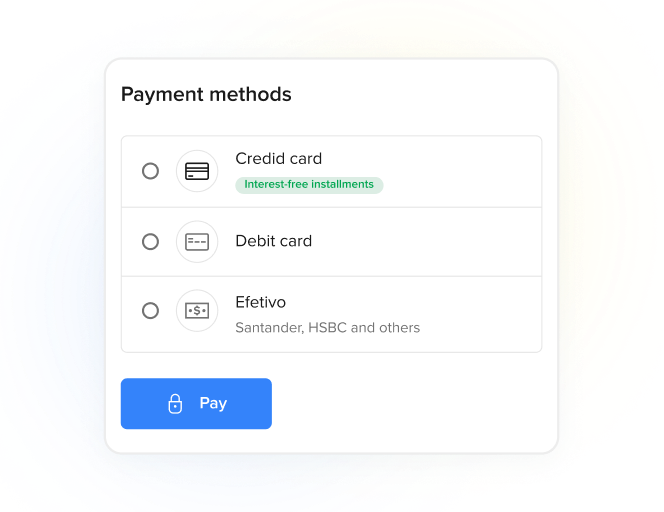
Credit or debit cardMercado Pago Account and , Meses sin Tarjeta. Payment methods
Credit or debit card.Country availability
Country availability
AR
BR
CL
CO
MX
PE
UY
Country availability
AR
BR
CL
CO
MX
PE
UY
How to implement
Learn the steps you will need to follow to implement Mercado Pago checkouts.
Prerequisites
- Seller accountYou need to create a user in Mercado Pago (or Mercado Libre) to have a seller account.
- SSL Certificate (Secure Sockets Layer)Allows secure navigation and protection of your data during information transfers.
- TiendanubeE-commerce platform that allows receiving payments with Mercado Pago. Visit Tiendanube for more information. Required 1.6.x or higher.
Implementation process
- Create Mercado Pago account.
- Install Mercado Pago plugin on the platform.
- Link Mercado Pago account to the platform.
- Configure payment methods.
- Go live.
flowchart TD
    A[Create Mercado Pago account] --> B[Install plugin]
    B --> C[Link account]
    C --> D[Configure payment methods]
    D --> E[Go live]
    E --> F{Ready to sell}